Fall 2021 — Summer 2022
The challenge
To create a web application that displays lunar data.
My role
Frontend Development
Background
After a recent design internship at Edenspiekermann, it was clear to me that I want to move on as a developer. Since frontend was my primary skill the decision was obvious - frontend development (but still I wanted to continue to design stuff). I joined the project as a working student, the team consisted of 4 people: the professor, the coordinator (professor's assistant), and two developers, I was one of the devs.
The initial idea was to build a 3d model of the moon, and put relevant data on it, and manipulate the data through custom UI built on top of default UI provided by the libraries. The tools that I used: CesiumJS - it would allow to display the moon itself, and show the data on top of the model, React - to make custom UI. We kicked off by designing the first UI components, they did not have to look amazing, we needed something simple that works.
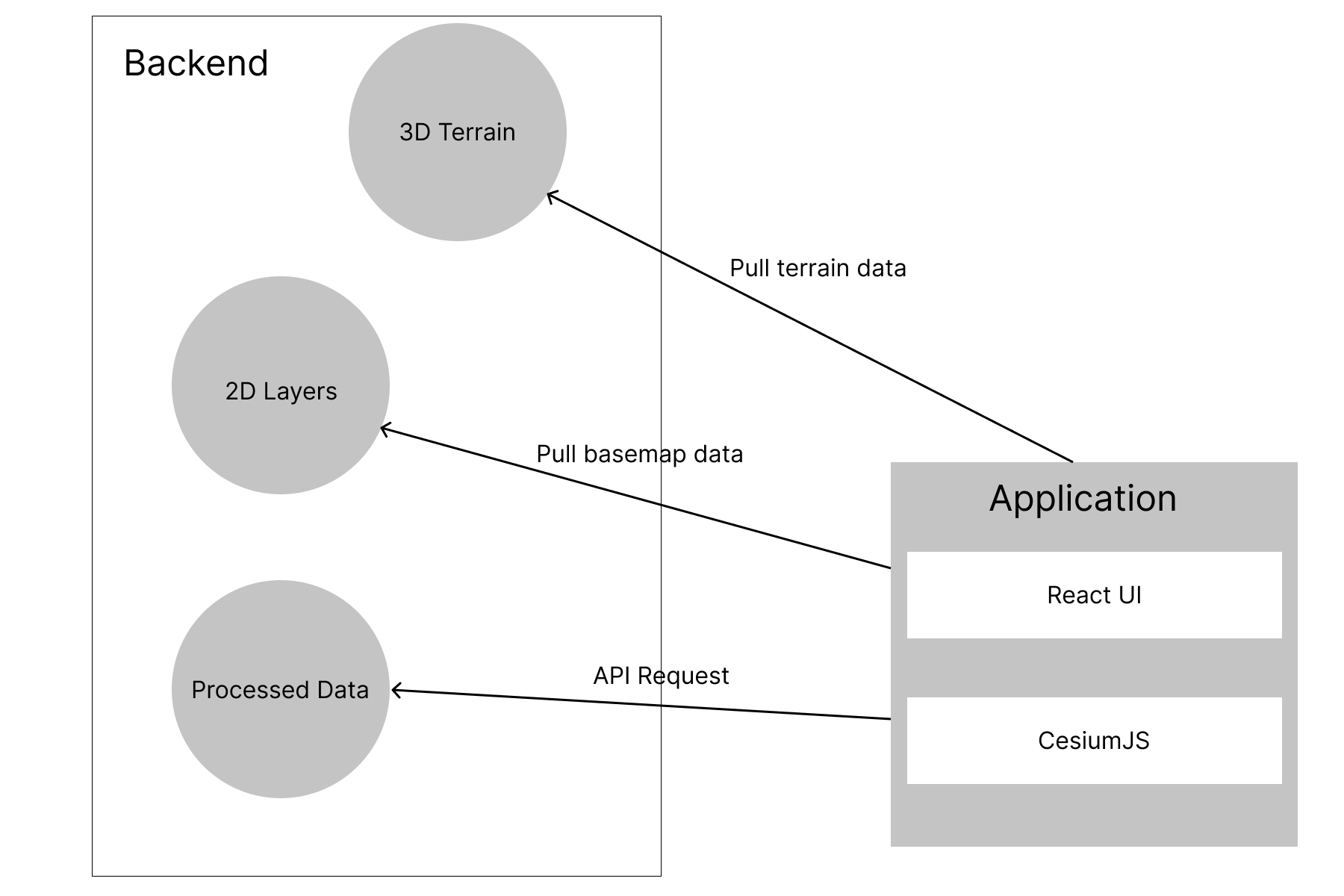
Simplified application architecture.
Emerging problems
Since we wanted to build everything from scratch, we had to stick to the official documentation of CesiumJS. Sounded simple, but in practice the documentation is quite poorly structured and for someone who does not have experience with Cesium it is hard to piece everything together.
While we managed to put 2d visible layers together on the globe, it was a chore to implement the 3d terrain (the data set that would tell the globe to take a certain shape that resembles the real model). For some reason the latest version of terrain builder refused to accept 3d terrain data. After long weeks of trial and error the issue was resolved (by our coordinator), the problem was with the version of the terrain builder, switching to the older version fixed the issue.
We had more features planned, and if the project progress would be blocked by minor issues as the terrain implementation, it would require too much time. It was proposed that we find something that already offers basic set of features, and luckily we found TerriaMap. TerriaMap is a tool that offers a set of features on top of CesiumJS.

The first iteration of the application.
Second iteration
Customizing the project
Although TerriaMap provides the infrastructure to add new customized components without touching the core itself, this approach is quite limited, since it does not guarantee detailed access to default components. Therefore to implement something that interacts with predefined functionality the changes must be made within the library itself.
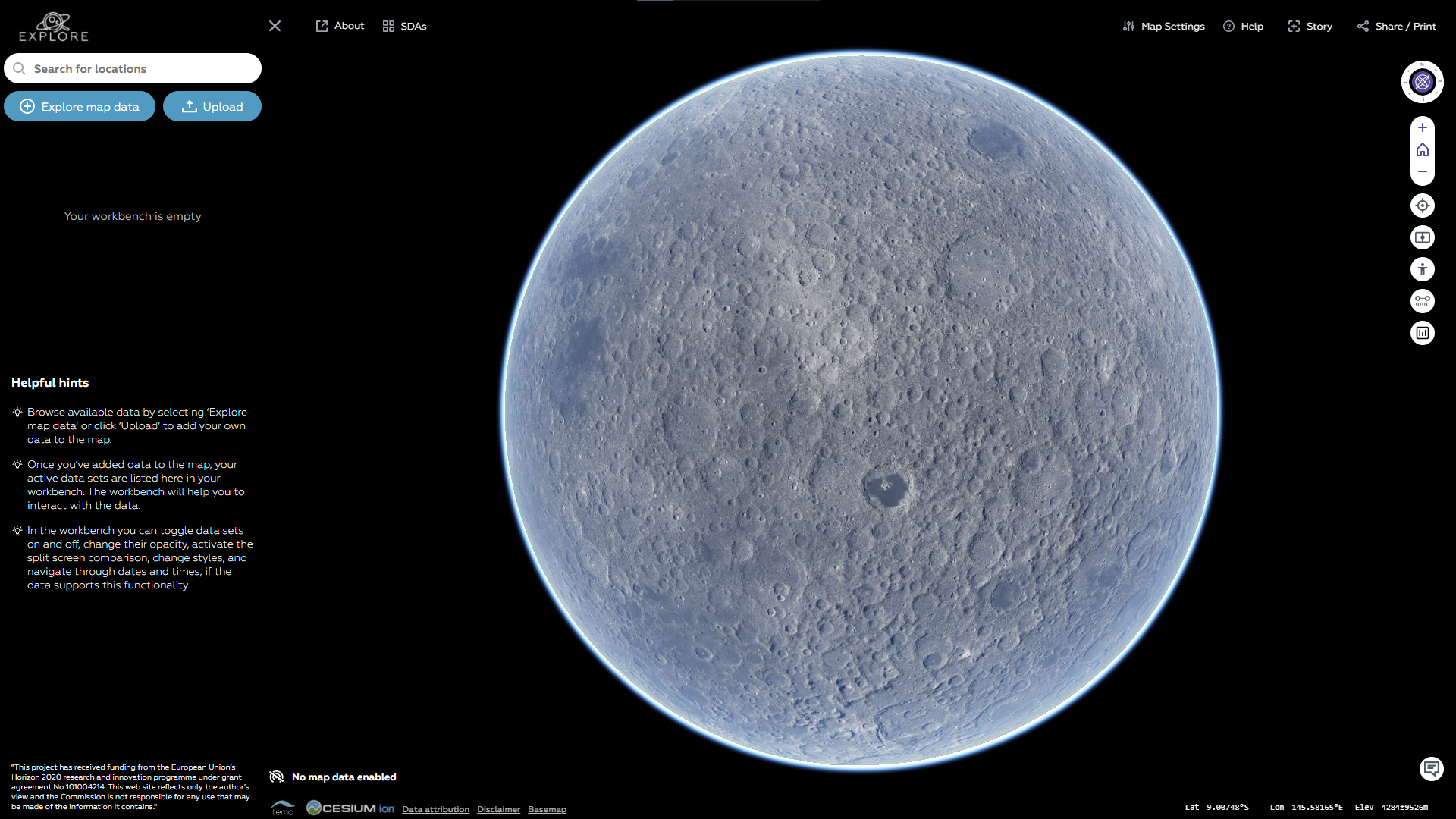

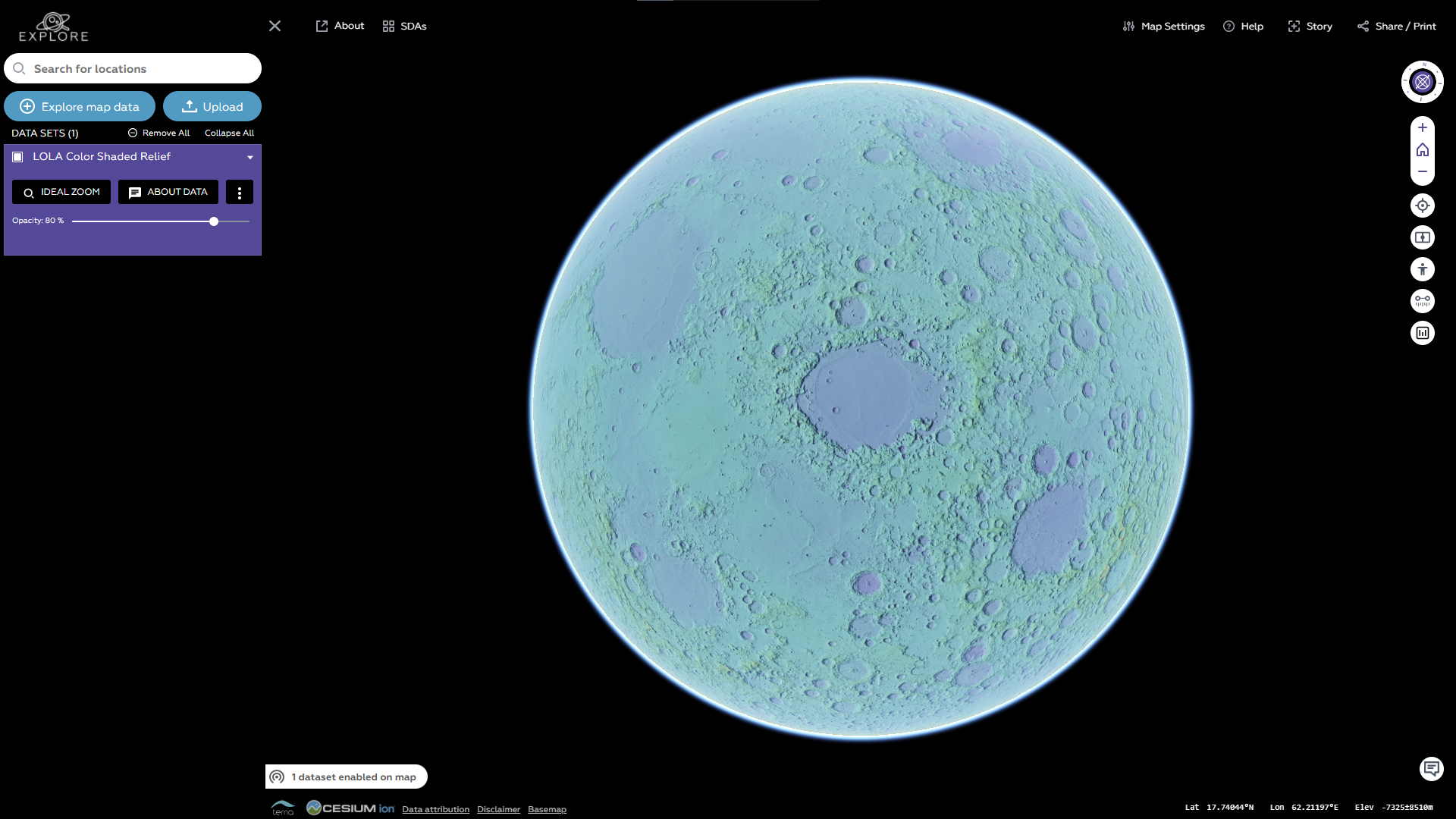
The second iteration of the project
Performing spectral analysis (example)
Assuming that we already display layers and specific data on the globe, we need to be able to perform specific operations on the data, this is when the default functions are not enough.
The task was to implement spectral analysis tool, meaning, that we have a certain area on the map (rectangle) and whenever we click on it, we send API request containing the ID of the rectangle (imageID) and coordinates (longitude and latitude). The server in turn calculates the response and sends processed data back in JSON format. This processed data then is sent to the Graph displayed. Additionally, each consecutive click on the same area should add new entry with new data to the graph, and reset the graph when the click is performed on new rectangle.
Before the project I did not have an extensive experience with react, only small projects like to-do app or a calendar. Diving deep into the library (node_modules) is a dirty process, it was a bit overwhelming but at the same time very enlightening. I had broken down the task into the steps which can be implemented in the code.
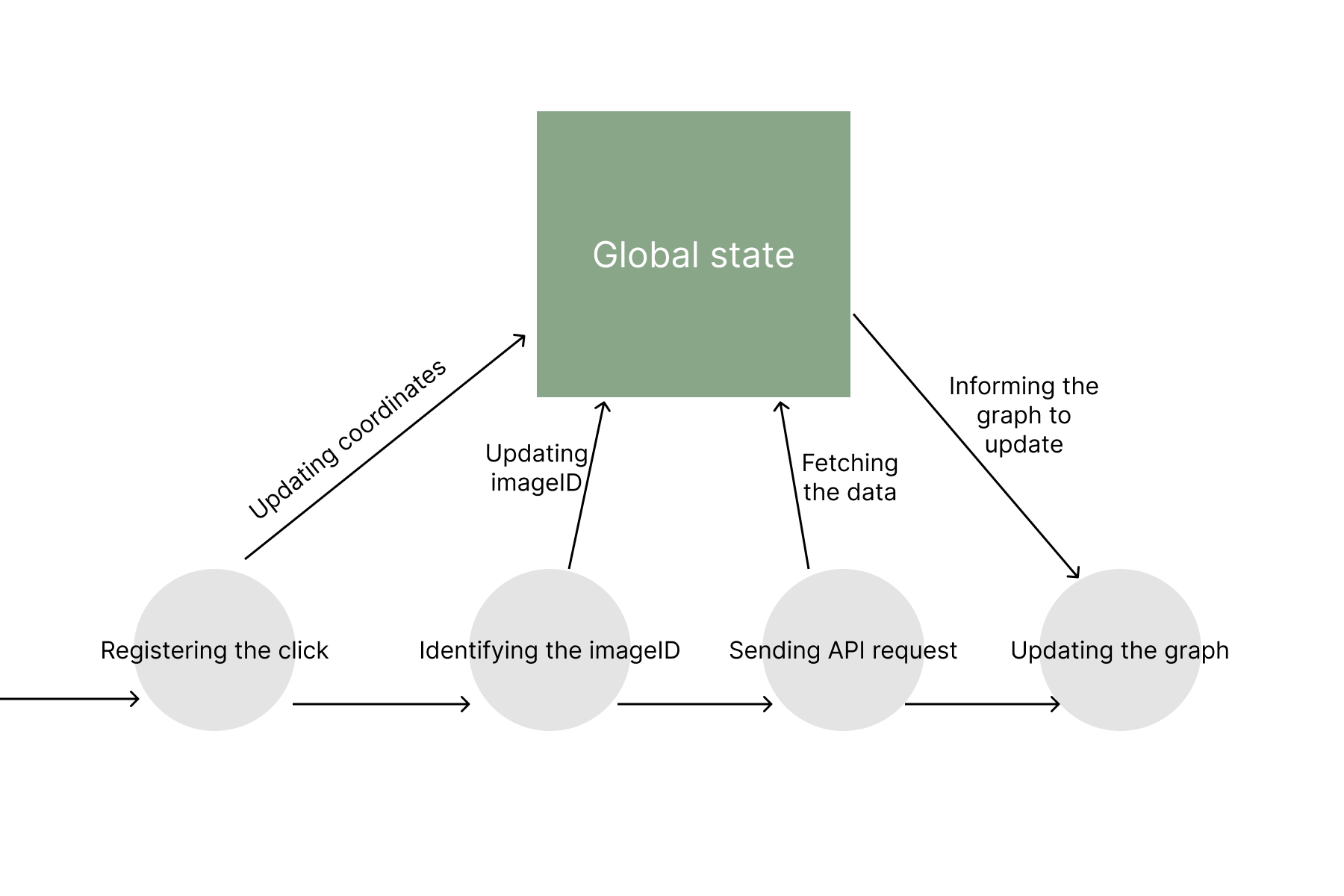
Task broken down into steps.
State management
At the time, whenever I needed to update states of the coordinates I used global variables, and I used those variables whenever I needed them. But such an implementation had a major drowback, whenever I updated the variable it did not "notify" the component to update, which led to the situation when I could not update the first component with the help of the second component. It is an essential limitation by React which is solved by state management libraries like MobX or Redux.
After trials and errors that occurred at every stage of the task, I figured out that the easiest way would be to update the state of the application rather than calling methonds from different components. TerriaMap utilized MobX to handle the states.
However, another problem occurred: infinite updates caused by global state. Whenever the global state is updated, all consecutive components that observe the global state are also updated. My component was updating the state when it was called, thus leading to an infinite loop. This is where I implemented atomic boolean flags manually to prevent the part of the code that updates the global state when it is not needed to avoid the infinite loop.
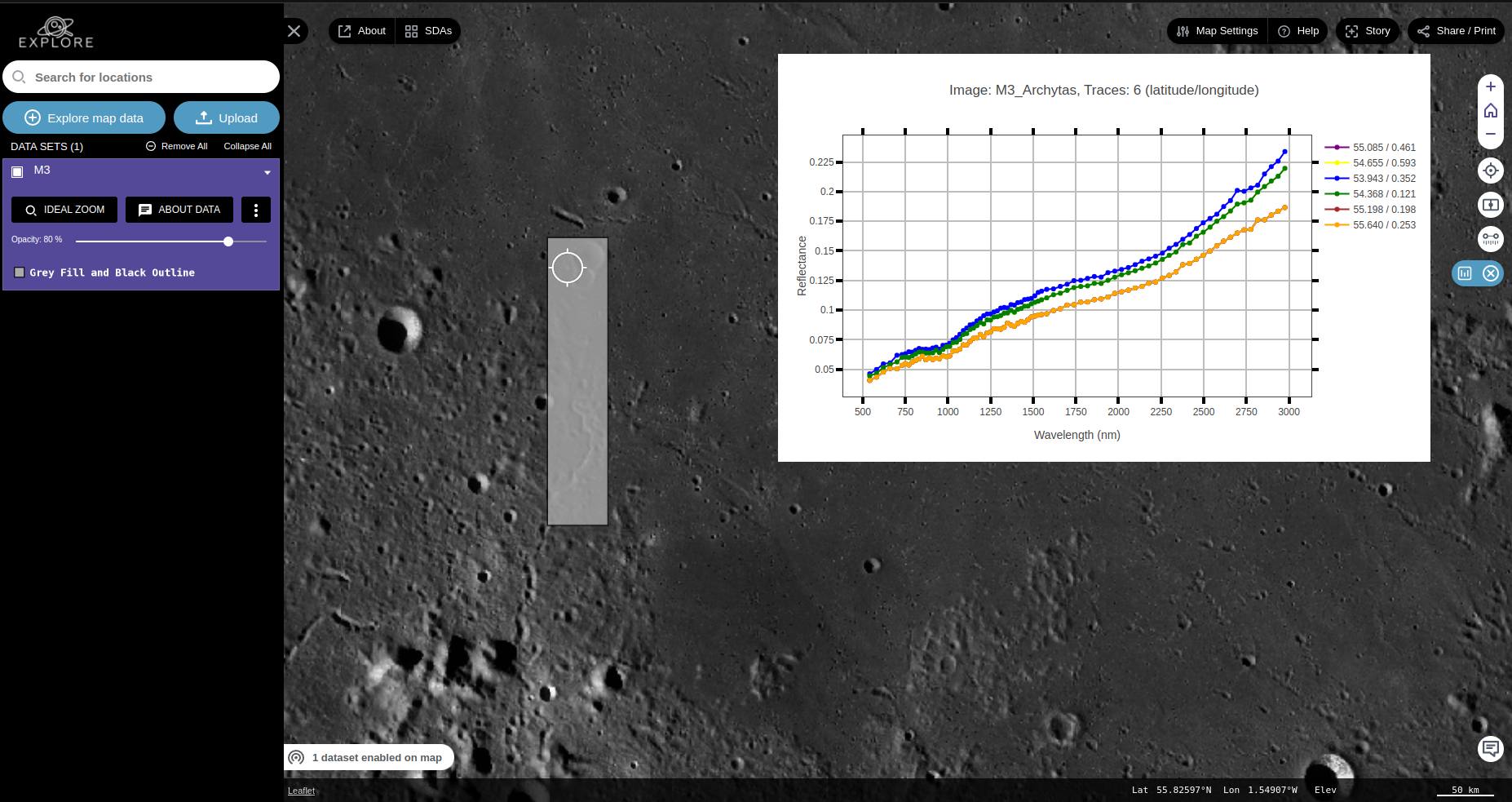
The spectral analysis tool
In the end
During the process I got familiar with React quite well and willing to continue to grow as a frontend developer.